12🔁
Returns and exchanges — Trade-in
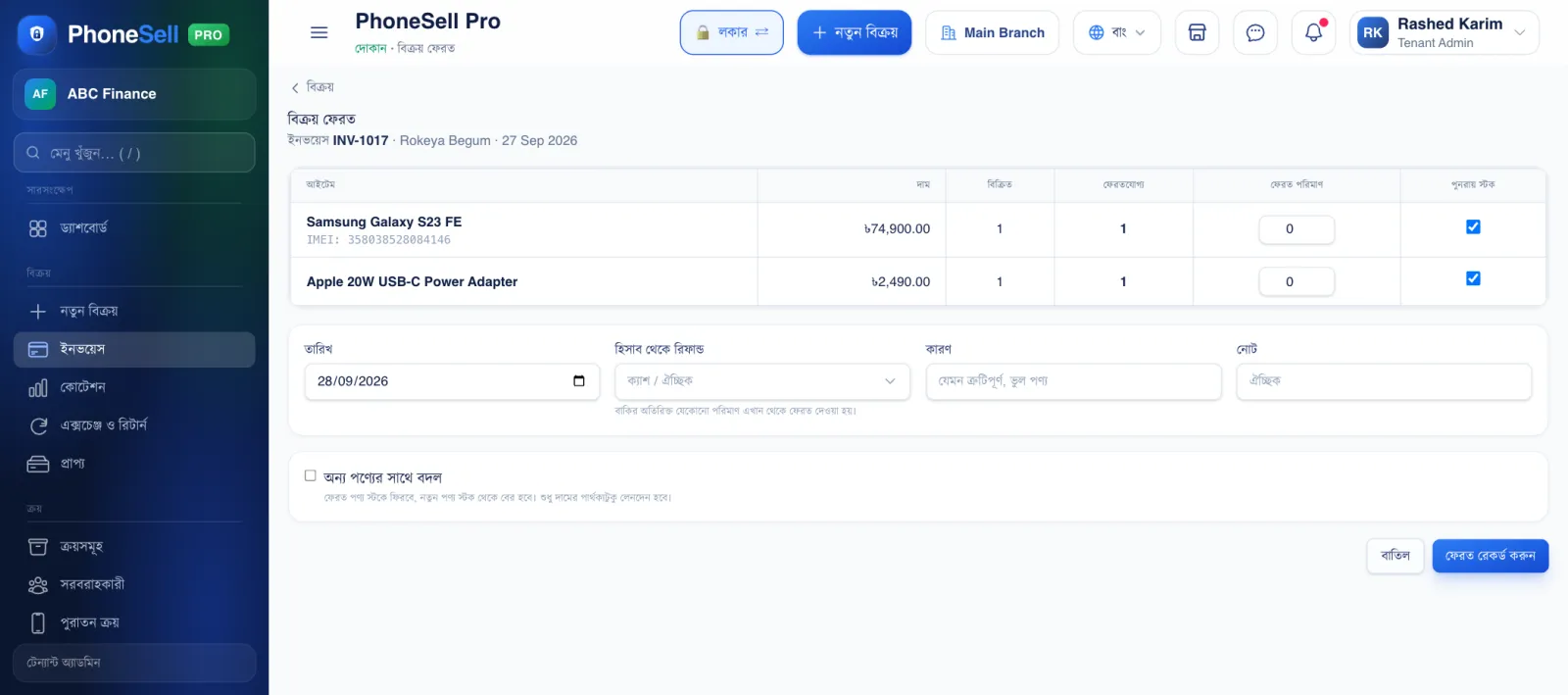
When a customer returns goods, take the return from the original memo — just enter which product and how many came back, and the goods go back into stock and the refund is accounted for.
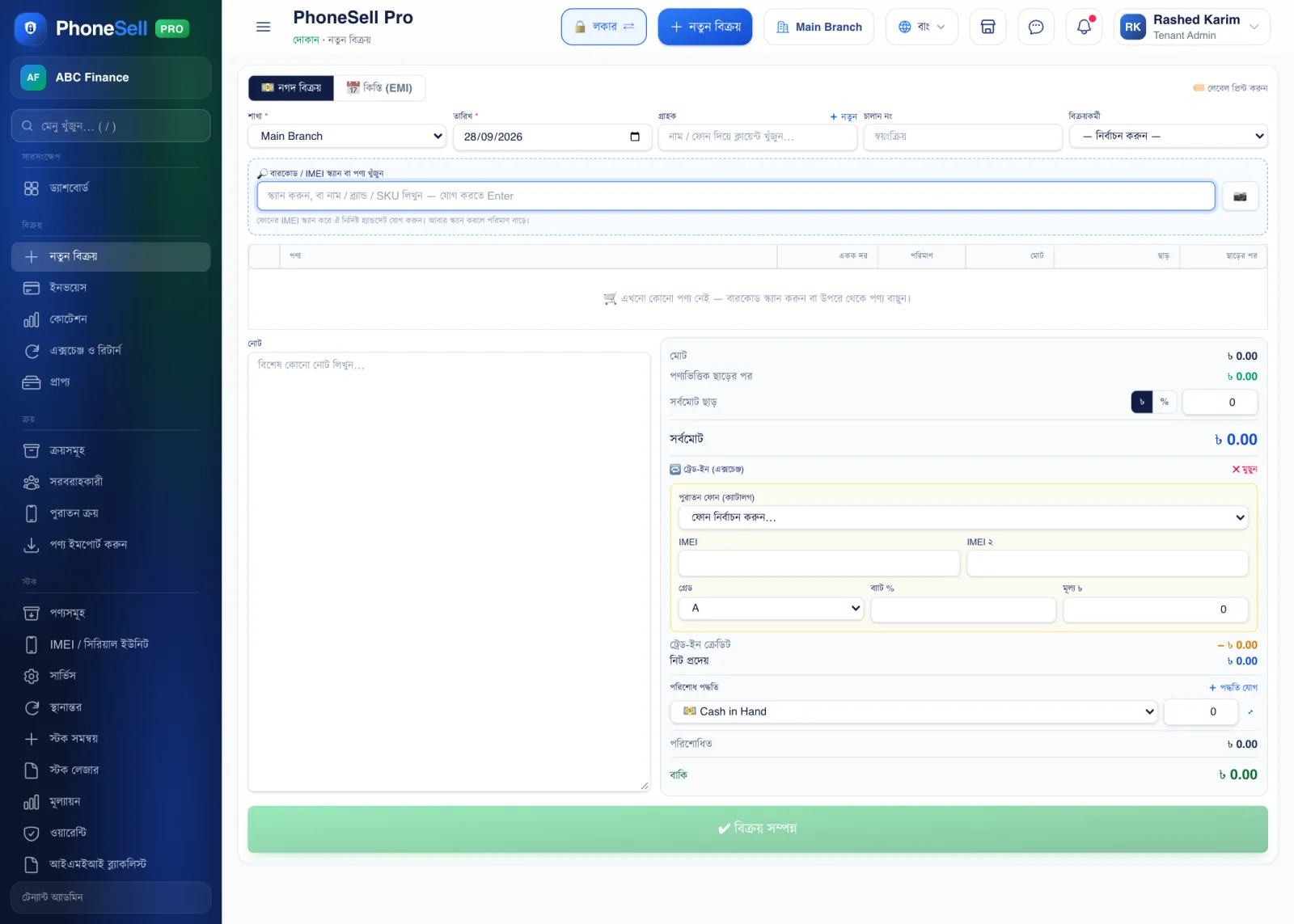
When a customer gives an old phone to take a new one, that is a Trade-in — the old phone's value is taken off the new phone's price, and the old phone goes into your stock.
📍 Where to find it: Returns: Invoices → Action → Return. Trade-in: at the bottom of the New Sale page.
📷 Screenshots show the panel in Bangla — switch the panel to English and the same buttons appear in English.
 12345
12345🔍 Tap the picture to enlarge
- 1Return qty. Which product came back, and how many.
- 2Restock. If ticked, the goods go back into stock to be sold again. If they're damaged, untick it.
- 3Refund from account. If you give the customer money back, which account you paid it from.
- 4Exchange for another product. Tick this if you give other goods instead of a refund — only the price difference changes hands.
- 5Record return. Tap it and stock and accounts are corrected.
 12345
12345🔍 Tap the picture to enlarge
- 1Old phone. Pick the model you took in from the list.
- 2IMEI. The old phone's IMEI — you'll use this to sell the phone later.
- 3Grade and battery. The phone's condition (A, B, C) and battery %.
- 4Price. How much you're giving for the old phone.
- 5Trade-in credit. This amount is taken off the new phone's price; below it shows how much more the customer has to pay.
💡 Good to know
- To see all returns and exchanges together, go to menu: Sales → Exchange & Return.