7📱
IMEI / Serial — tracking every phone
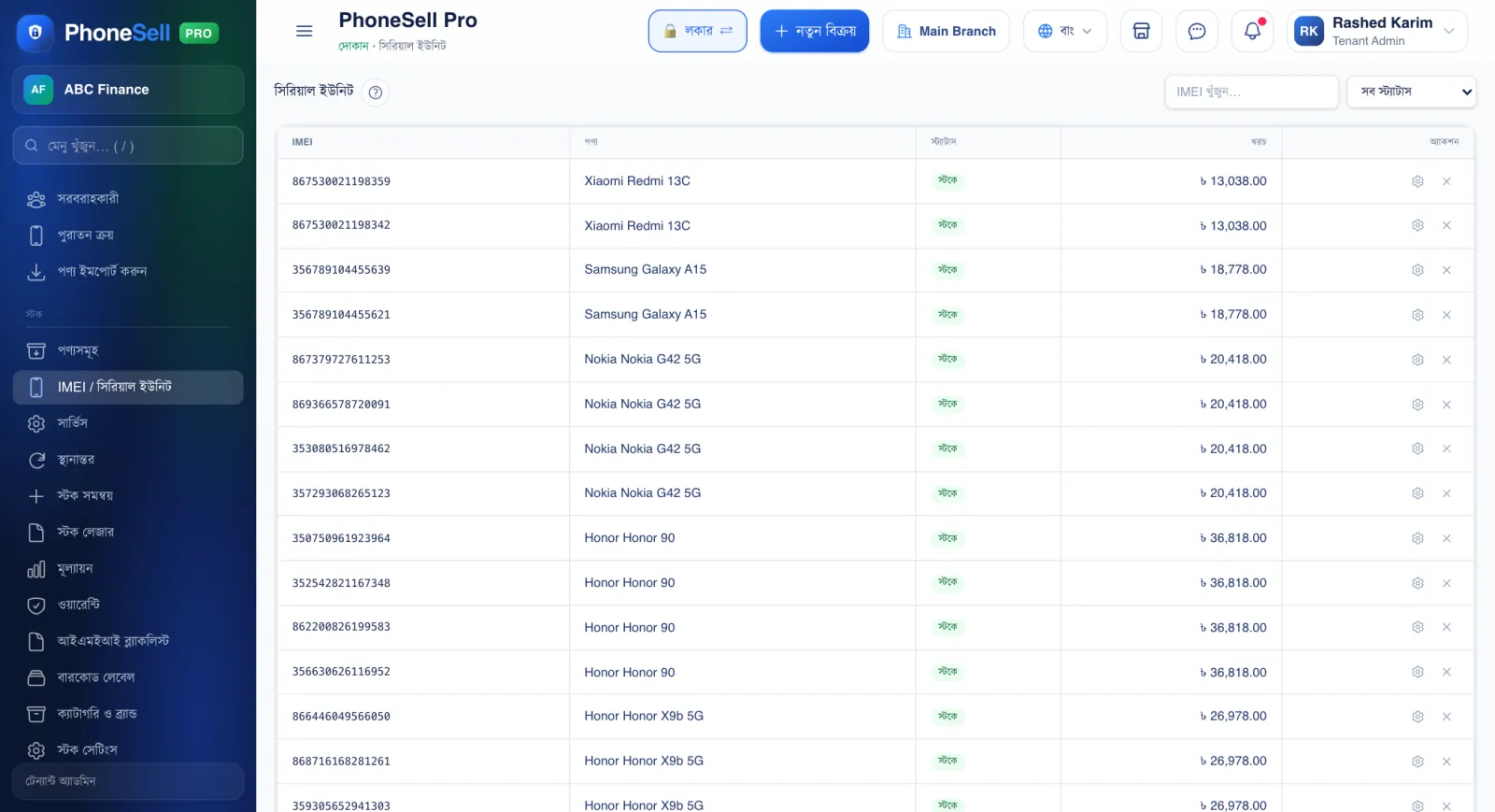
Every phone set sits on its own line here, with its IMEI. When a customer brings a phone back, search by IMEI to see when, for how much and to whom you sold it.
📍 Where to find it: Left menu: Stock → IMEI / Serial Units.
📷 Screenshots show the panel in Bangla — switch the panel to English and the same buttons appear in English.
 1234
1234🔍 Tap the picture to enlarge
- 1Search. Type the full IMEI or just its last few digits.
- 2Status filter. Show in stock, sold, returned or damaged sets separately.
- 3IMEI. Each set's own number.
- 4Status. “In stock” means it is in the shop and can be sold.
💡 Good to know
- Put stolen or suspicious IMEIs in Stock → IMEI Blacklist and you'll get a warning if that IMEI comes up in a purchase or sale.