16🏦
Cash & Bank — where your money is
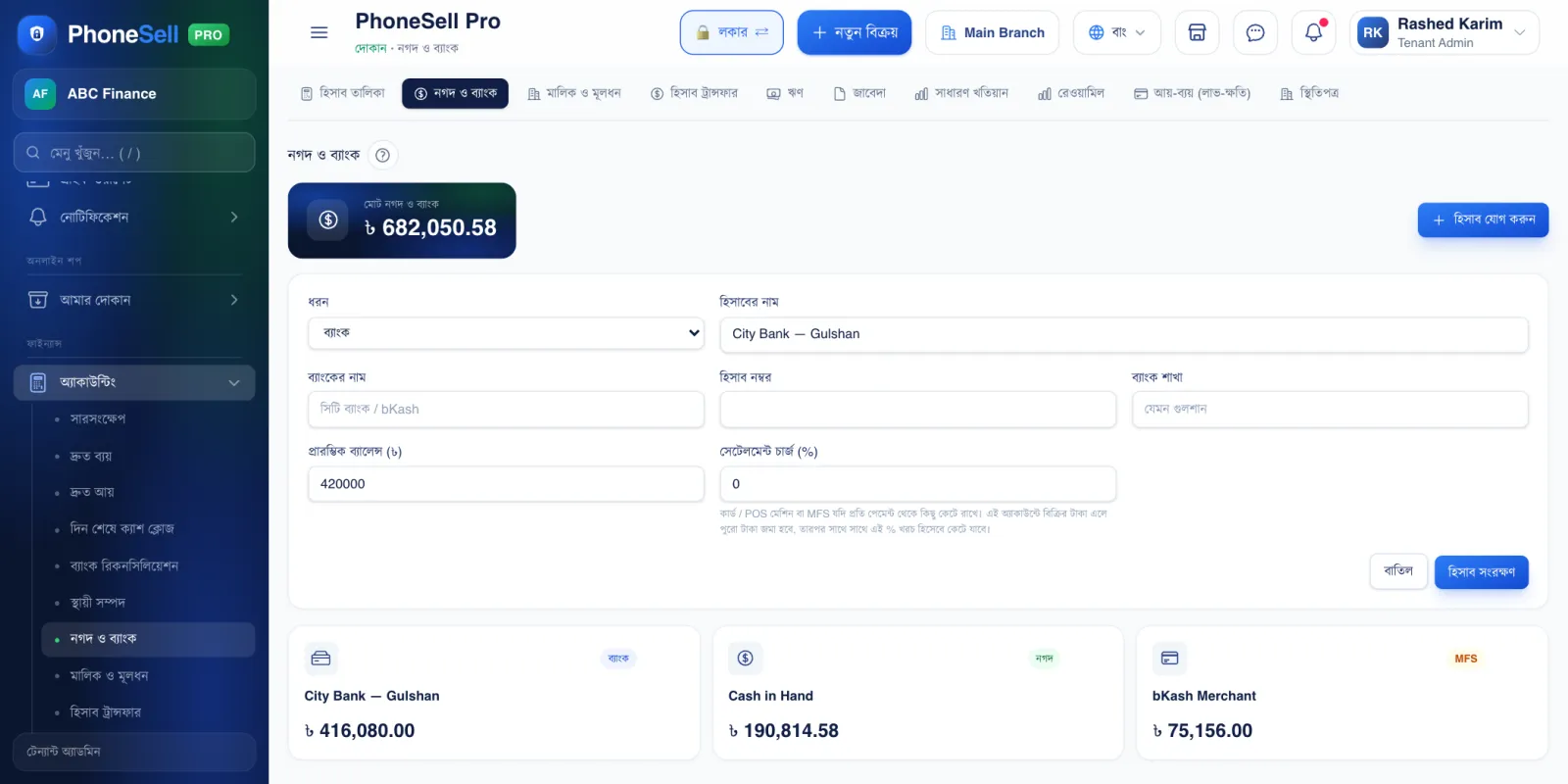
Every place the shop keeps money — the cash drawer, the bank, a bKash merchant account — is one account here. Sales, purchases and expenses are all added to or taken from these accounts.
When you take money by card or on a POS machine, the bank deducts a charge. Enter the Settlement charge (%) on that account once, and whenever a sale goes into that account the charge is moved to expenses automatically.
📍 Where to find it: Left menu: Finance → Accounting → Cash & Bank.
📷 Screenshots show the panel in Bangla — switch the panel to English and the same buttons appear in English.
 123456
🔍 Tap the picture to enlarge
- 1Total cash & bank. How much money the shop has right now across all accounts.
- 2Add account. A new bank, bKash/Nagad merchant account or POS machine.
- 3Type. Cash, bank, or mobile banking (MFS).
- 4Settlement charge. The % the POS machine or card deducts (for example 1.5). The full sale amount is deposited, and this % is taken off straight away as an expense.
- 5Save account.
- 6A card for each account. How much is in it now. Tap it to see the list of transactions.
 1234
1234🔍 Tap the picture to enlarge
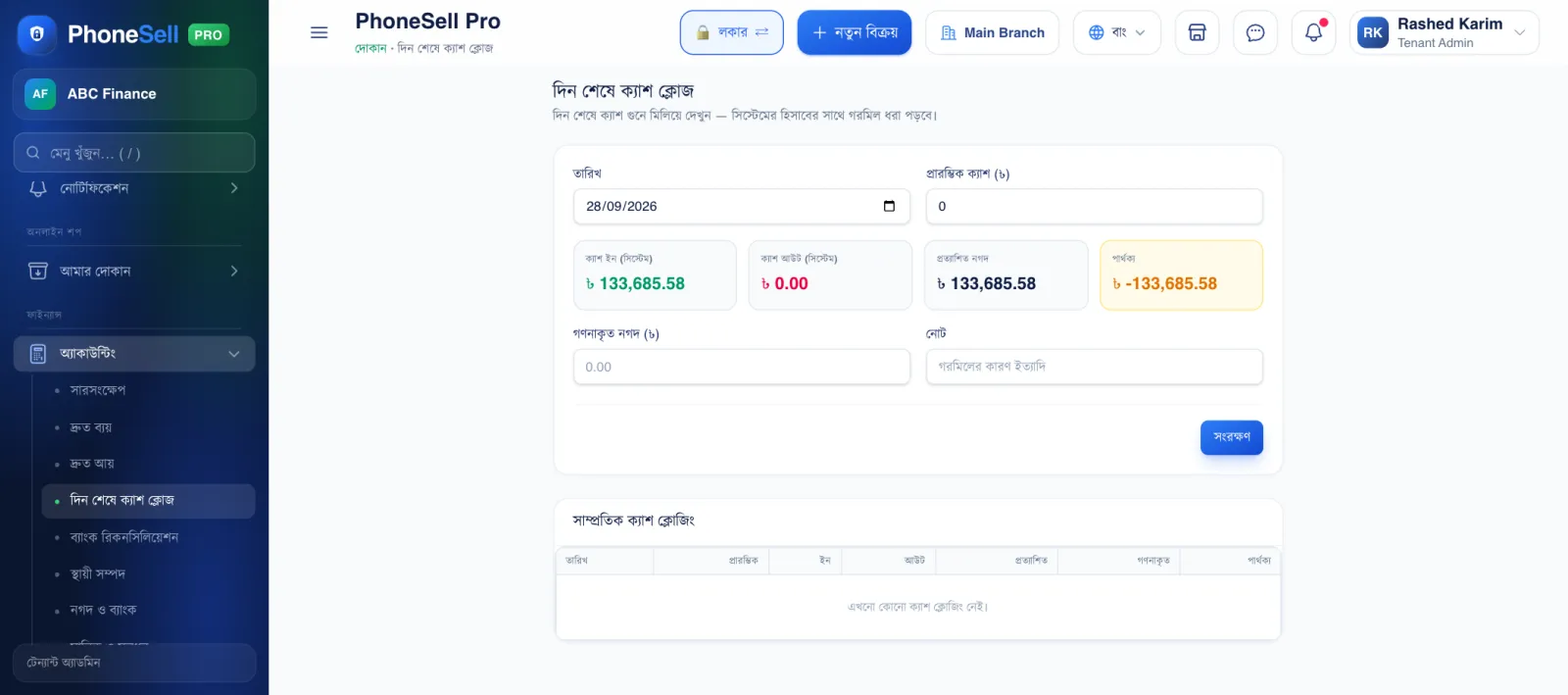
- 1Opening cash. How much was in the drawer in the morning.
- 2Expected Cash. How much should be in the drawer after the day's sales and expenses.
- 3Counted cash. Count the money in the drawer and enter it.
- 4Difference. If it's zero, everything is fine. If it's over or short, write the reason in the note and save.
💡 Good to know
- When you move money from one account to another (for example depositing cash into the bank), use Account Transfer — don't record it as an expense.