2📊
Dashboard — your shop today
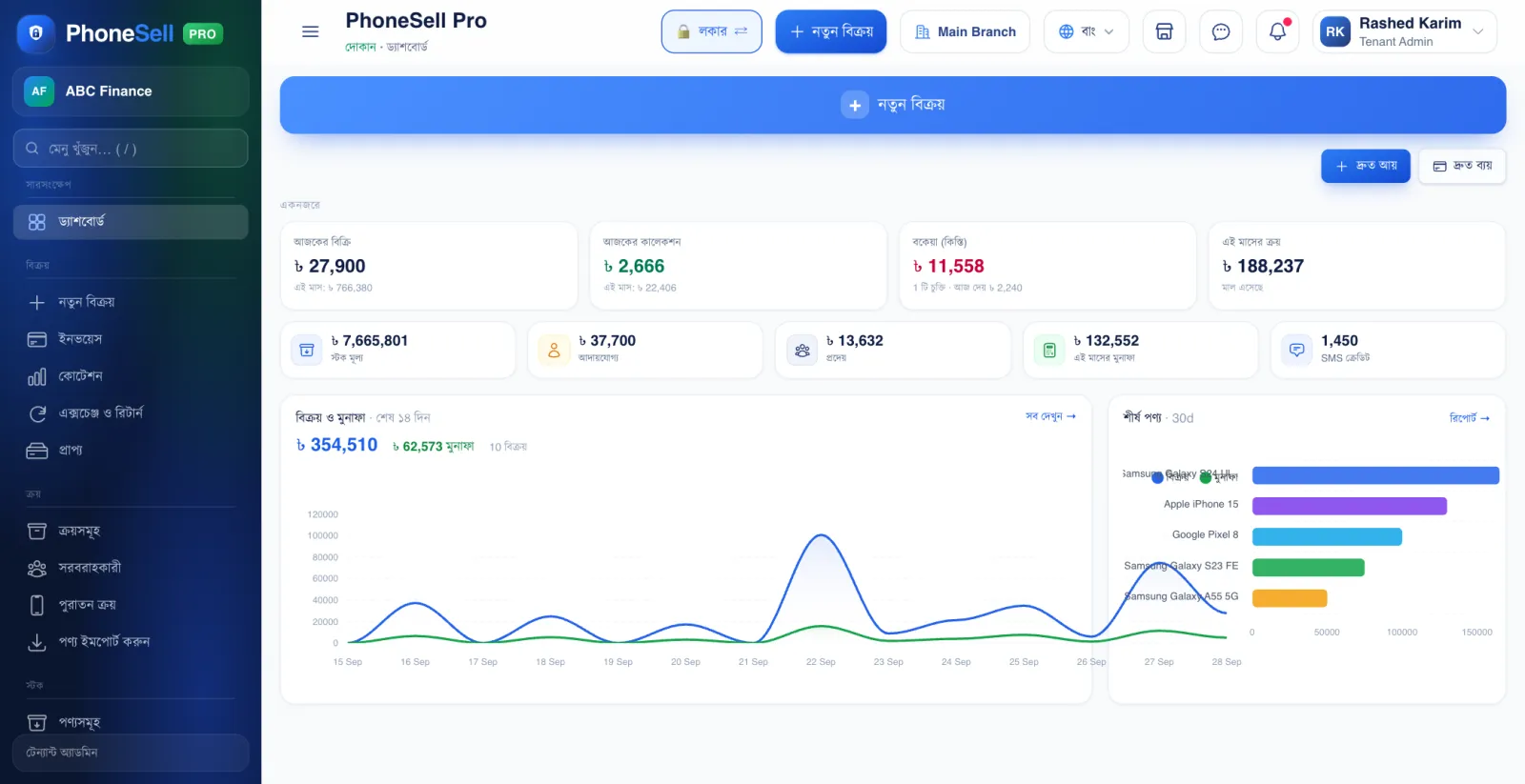
This page opens as soon as you enter the shop. A quick look at the start of the day tells you how much you've sold today, who owes you how much, and how much stock is in the shop.
The buttons you need most — New Sale, Quick Income, Quick Expense — are right at the top.
📍 Where to find it: At the very top of the left menu: Dashboard.
📷 Screenshots show the panel in Bangla — switch the panel to English and the same buttons appear in English.
 123456
🔍 Tap the picture to enlarge
- 1New Sale. Opens the sales page (POS) in one tap.
- 2Quick Income. Income other than sales — service charges, rent and so on.
- 3Quick Expense. Shop rent, electricity bill, snacks — any expense.
- 4At a glance. Today's sales, this month's purchases, the total stock value of the shop, money customers owe you (receivable) and money you still owe suppliers (payable).
- 5Stock Value. How much the goods in the shop are worth right now, at purchase price.
- 6Sales & Profit. A chart of sales and profit for the last 14 days — see at a glance which days went well.
💡 Good to know
- Tap any card to open its full list — for example, tapping “Receivable” shows everyone who still owes you money.
- Press / in the menu search at the top and type any page name to jump straight to it.