13♻️
Buying used phones (Used Buy)
When someone comes to sell an old phone, record it here. Keeping the seller's ID details lowers the risk of getting into trouble by buying a stolen phone.
As soon as you save, the phone goes into your stock with its IMEI, and you can print an agreement for the seller to sign.
📍 Where to find it: Left menu: Purchase → Used Buy.
📷 Screenshots show the panel in Bangla — switch the panel to English and the same buttons appear in English.
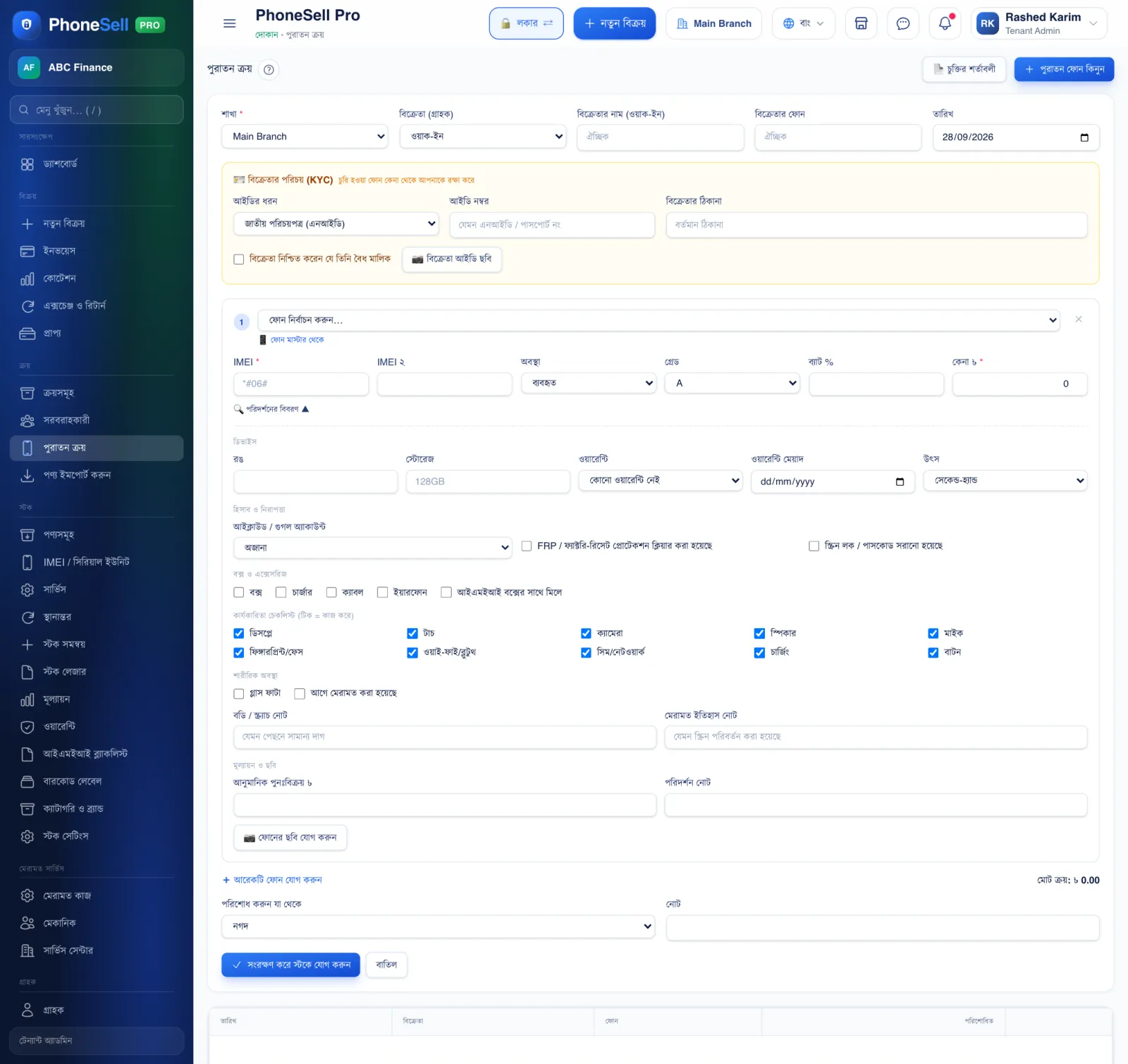 12345678
🔍 Tap the picture to enlarge
- 1Seller. Name and phone number. If they're already a customer, pick them from the list.
- 2Identity (KYC). NID or passport number, address and a photo of the ID. Tick “The seller confirms they are the rightful owner”.
- 3Phone and IMEI. Pick the model and enter the IMEI (dial *#06# on the phone to see the IMEI).
- 4Condition, grade, battery and purchase price.
- 5Checklist. Display, touch, camera, charging — tick whatever works. Also note it if the glass is cracked or the phone has been repaired before.
- 6Pay. Which account you paid the seller from.
- 7Save & add to stock.
- 8Agreement template. Set once what the agreement will say.
⚠️ Careful
- Always check that the seller's Google/iCloud account has been removed from the phone — otherwise the phone will be locked after a reset (FRP).