12🛡️
Security alerts
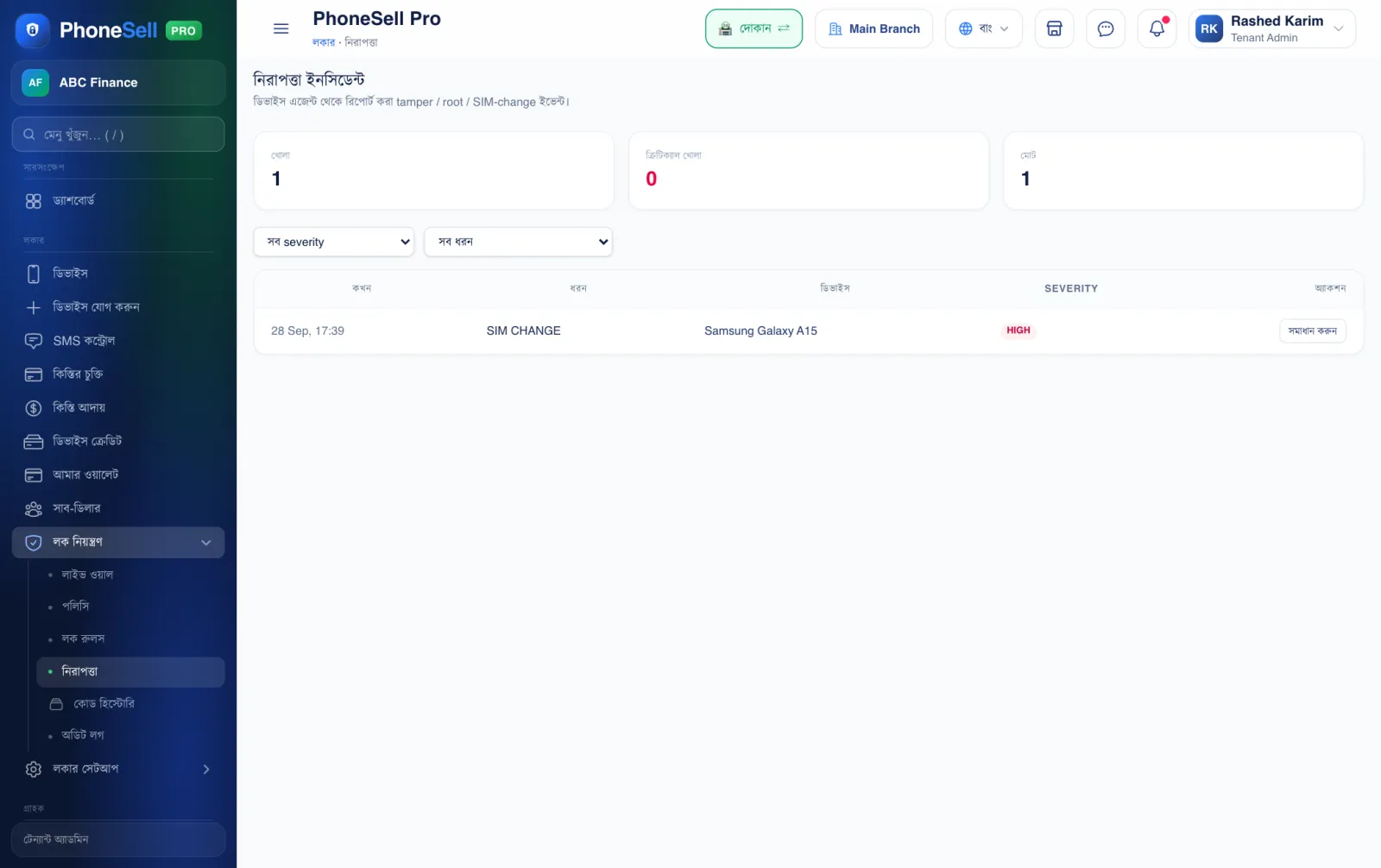
If a customer tries to break the phone's lock, the phone tells you right away. All alerts are kept on this page.
📍 Where to find it: Left menu: Lock Control → Security. Red alerts also show at the top of the dashboard.
📷 Screenshots show the panel in Bangla — switch the panel to English and the same buttons appear in English.
 1234
1234🔍 Tap the picture to enlarge
- 1Open alerts. Alerts that haven't been checked or resolved yet.
- 2Filter. Filter by severity and type.
- 3What happened. When, on which phone, and what kind of attempt.
- 4Resolve. Tap once you've talked to the customer and the matter is settled.
💡 Good to know
- To get alerts on Telegram as soon as they happen, turn on Settings → Telegram alerts.