17✉️
SMS Control — lock phones without internet
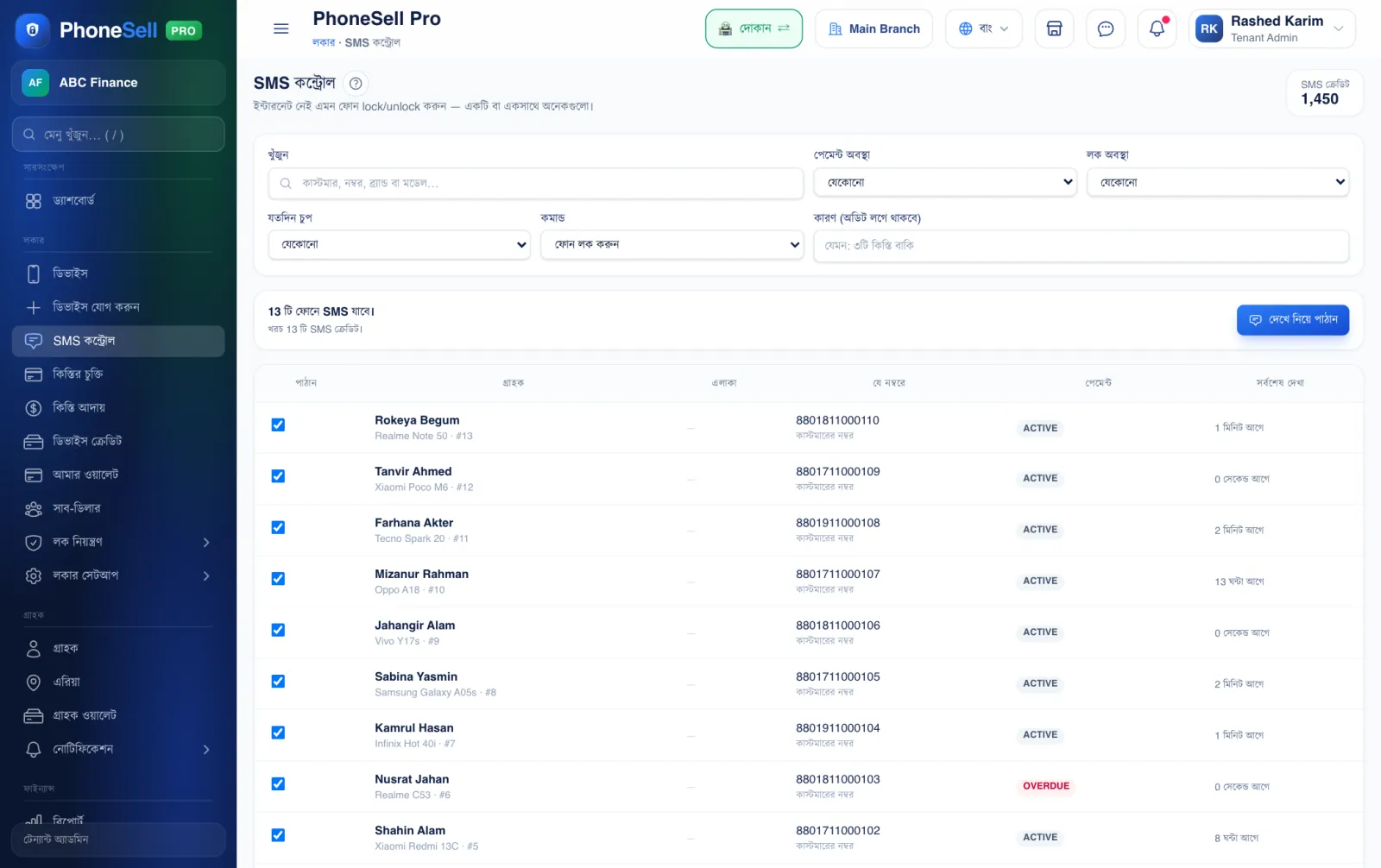
Even if the customer turns off the phone's internet, you can lock it by SMS as long as the SIM is active. You can also send to many phones at once.
📍 Where to find it: Left menu: Locker → SMS Control.
📷 Screenshots show the panel in Bangla — switch the panel to English and the same buttons appear in English.
 12345
12345🔍 Tap the picture to enlarge
- 1Who to send to. For example, only phones with money due, or phones that have been silent for a number of days.
- 2Command. Lock or unlock the phone.
- 3Reason. For your own record — it's kept in the audit log.
- 4Ticked phones. The phones the SMS will go to. Untick any to leave it out.
- 5Review & send. Check once, then send. Each SMS uses 1 SMS credit.