11📺
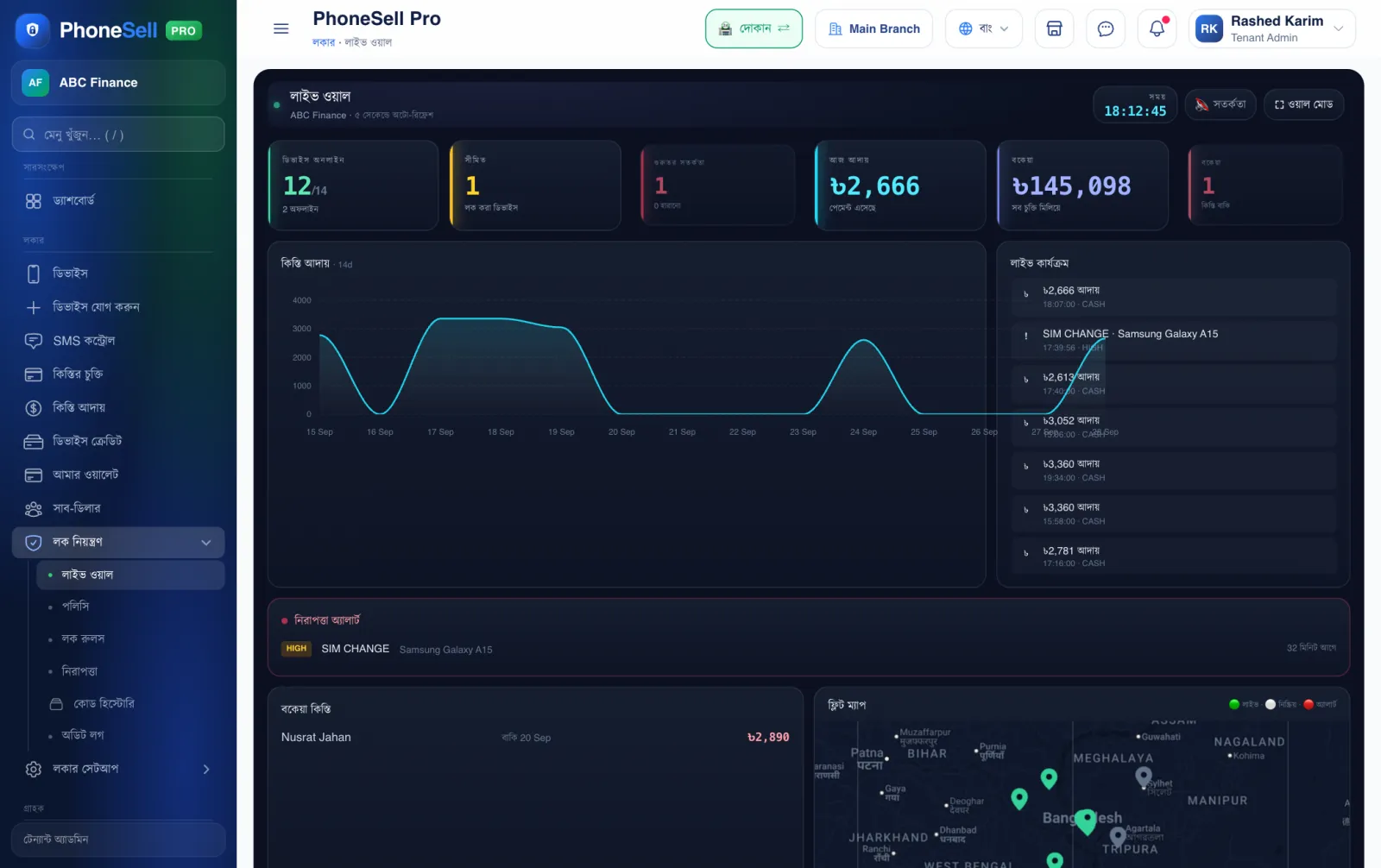
Live Wall — all phones, live
A page to keep open on the shop's TV or a big monitor — everything keeps updating by itself.
📍 Where to find it: Left menu: Lock Control → Live Wall.
📷 Screenshots show the panel in Bangla — switch the panel to English and the same buttons appear in English.
 123456
🔍 Tap the picture to enlarge
- 1Online phones. How many phones are connected to the internet right now.
- 2Today's collections. How much installment money came in today.
- 3Live activity. Payments, alerts — whatever happens shows up here immediately.
- 4Security alerts. Which phones had a SIM change or a tampering attempt.
- 5Fleet map. Where every phone is — green means online.
- 6Wall mode. Shows the page full screen.