9💵
Collect installments
When a customer pays an installment, record it in the panel right away. That keeps the balance correct, the customer gets an SMS, and if the phone is locked it unlocks by itself.
📍 Where to find it: Record Payment on the contract page, Collect payment on the customer's page, and to see all collections, menu: Locker → Collections.
📷 Screenshots show the panel in Bangla — switch the panel to English and the same buttons appear in English.
Step by step
- Open the customer's contract page.
- Tap Record Payment.
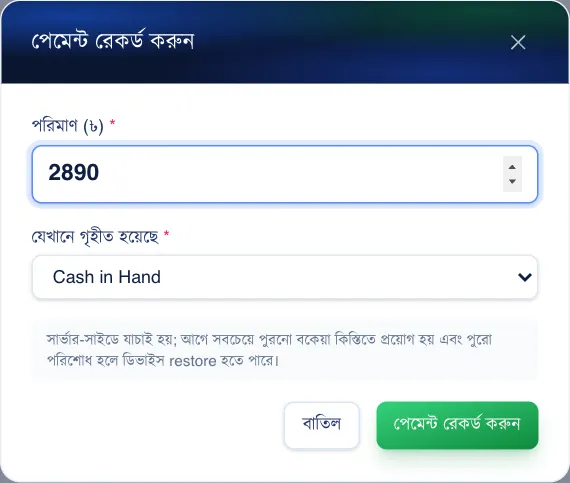
- Enter how much you took and where it went (cash/bKash).
- Tap Save. You can print or share the receipt.
 123
123🔍 Tap the picture to enlarge
- 1Amount. The full due amount is filled in first — enter the amount the customer actually paid (here, one installment, Tk 2,890).
- 2Where it went. Cash drawer, bKash or bank — wherever the money was received.
- 3Save. The payment is recorded, the balance goes down, and a locked phone unlocks.
 1234
1234🔍 Tap the picture to enlarge
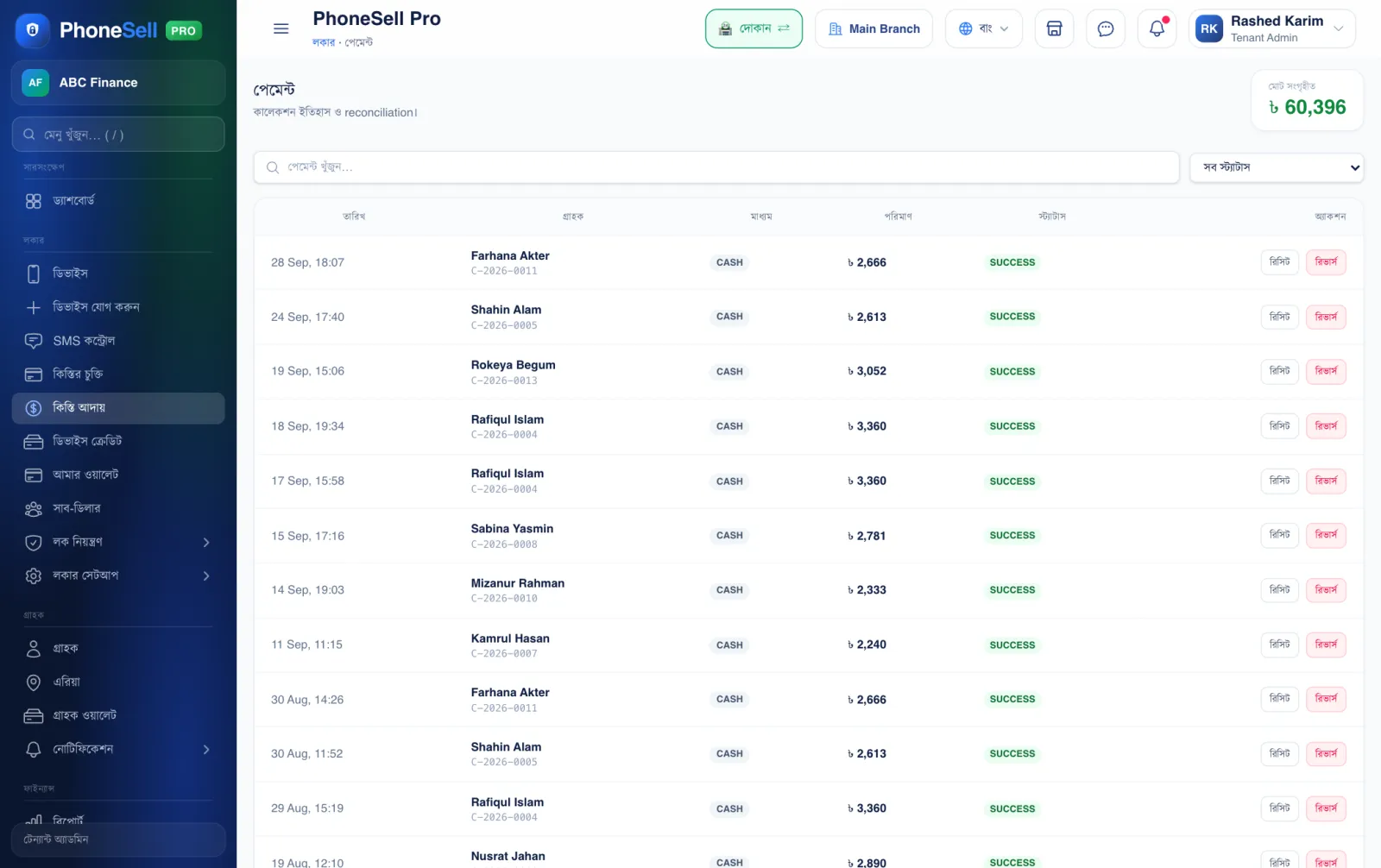
- 1Total collected. The total installments collected so far.
- 2Search. Find old payments by customer or contract number.
- 3Receipt. Print or share a payment receipt again.
- 4Reverse. If you recorded a payment by mistake, cancel it — the balance goes back to what it was.
💡 Good to know
- Tap Collect payment on the customer's page to take an installment for any of their contracts from one place.