16💳
Online payment — pay installments from the lock screen
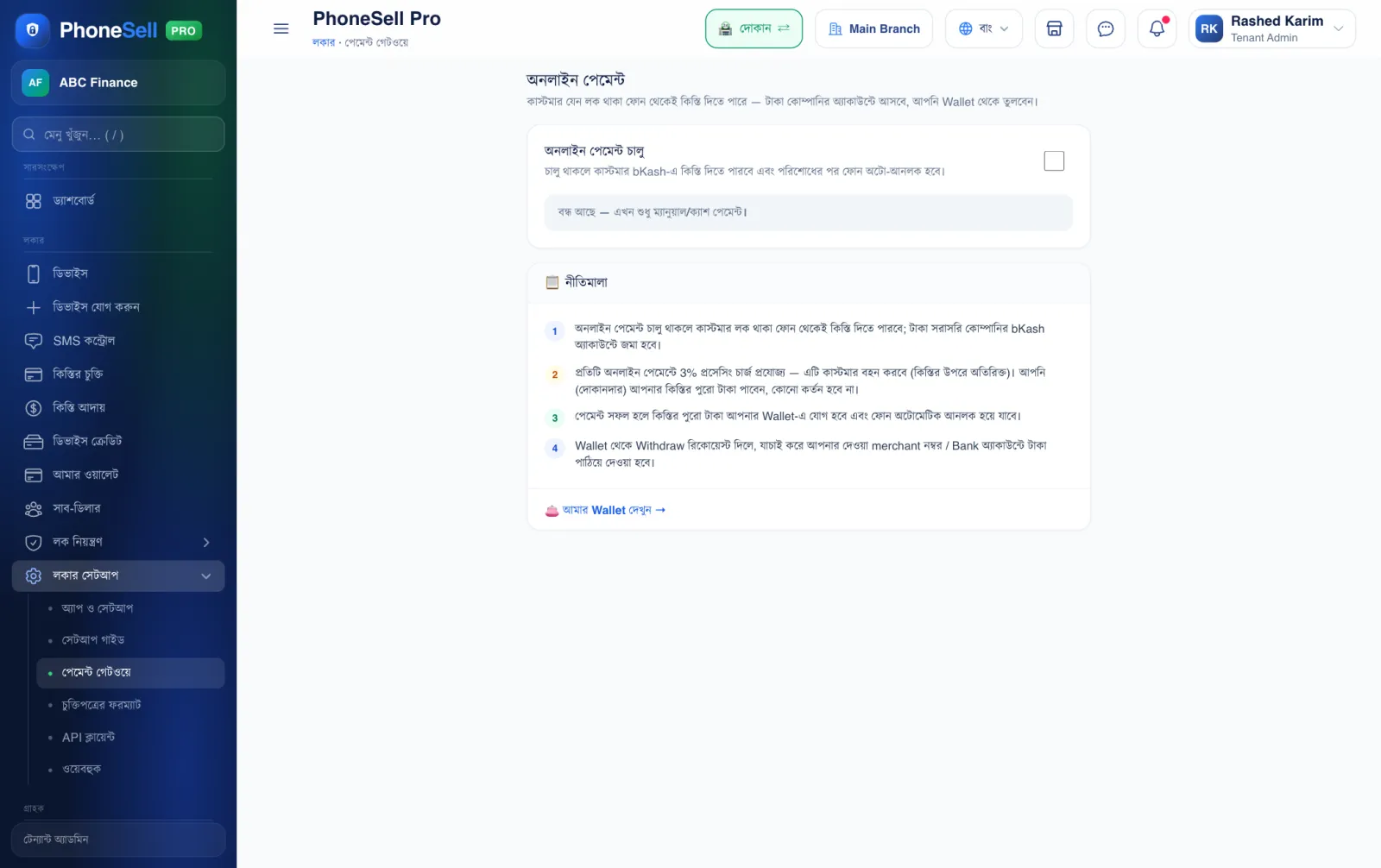
When turned on, the customer can pay installments by bKash right from the locked phone. Once the money arrives, the phone unlocks by itself and the money goes into your Wallet.
📍 Where to find it: Left menu: Locker Setup → Payment Gateway.
📷 Screenshots show the panel in Bangla — switch the panel to English and the same buttons appear in English.
 123
123🔍 Tap the picture to enlarge
- 1Online payment enabled. Tick it and customers can pay installments online.
- 2Guidelines. Who pays the processing charge and where the money goes — read it carefully.
- 3My Wallet. Money paid online collects here — withdraw it from there.