10⚙️
Lock Rules — when a phone locks by itself
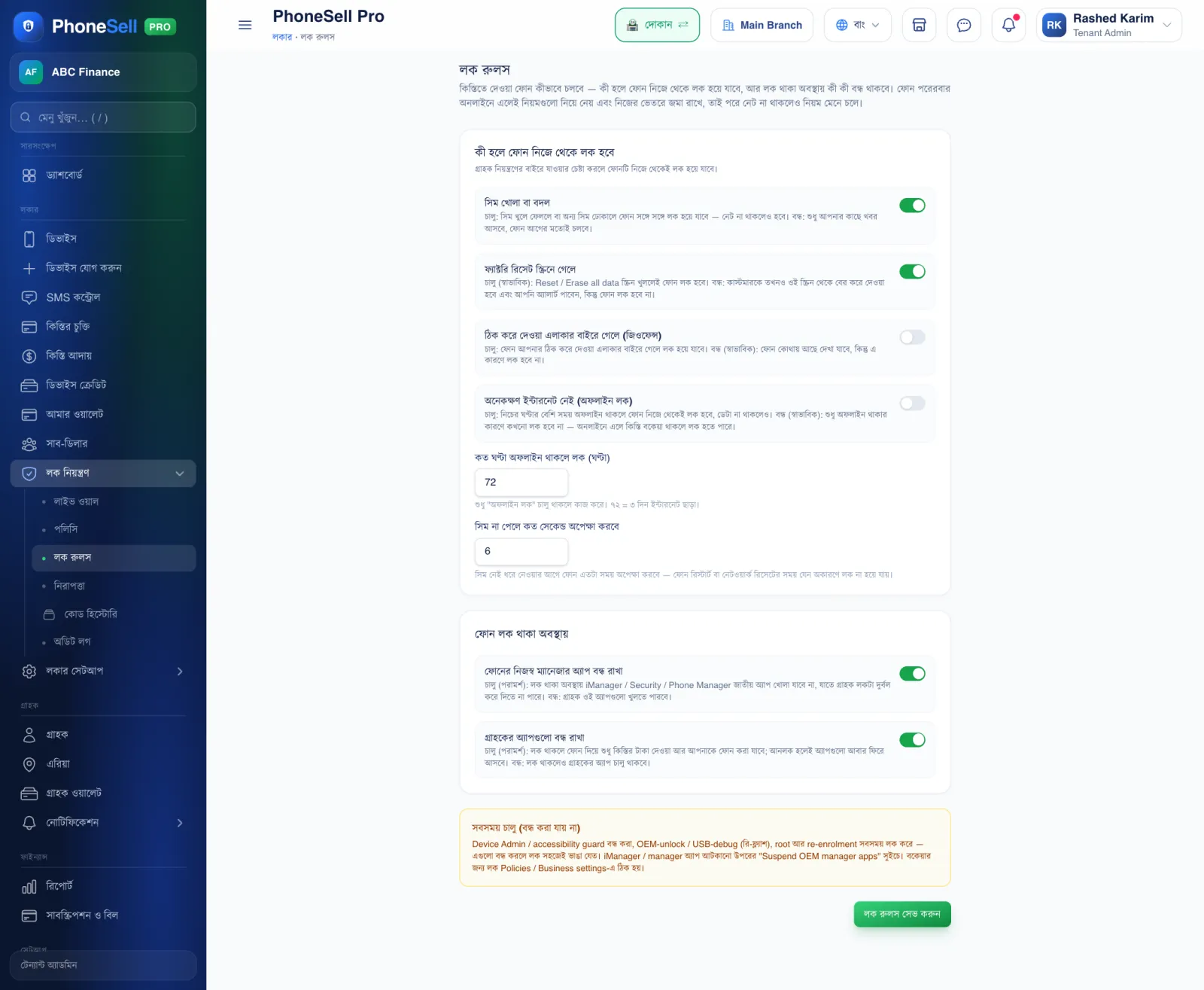
If a customer tries to tamper with an installment phone, the phone can lock by itself. Here you turn on or off which situations cause a lock.
When you change the rules, every phone picks up the new rules the next time it comes online, and follows them even without internet.
📍 Where to find it: Left menu: Lock Control → Lock Rules.
📷 Screenshots show the panel in Bangla — switch the panel to English and the same buttons appear in English.
 123456
🔍 Tap the picture to enlarge
- 1SIM removed or changed. When on, the phone locks if the SIM is taken out or a different SIM is put in.
- 2Opens the factory-reset screen. When on (normal), opening the reset screen locks the phone. When off, you only get an alert.
- 3Leaves the allowed area (geofence). When on, the phone locks if it goes outside the area you set.
- 4Offline for too long. When on, the phone locks itself if it has no internet for longer than the hours set below.
- 5While the phone is locked. What stays blocked while the phone is locked — we recommend keeping both on.
- 6Save lock rules. Always tap this after making changes.
⚠️ Careful
- Some protections, listed in the yellow box below, are always on — for example against stopping the app or re-flashing the phone. These can't be turned off.