6📲
A phone's full page
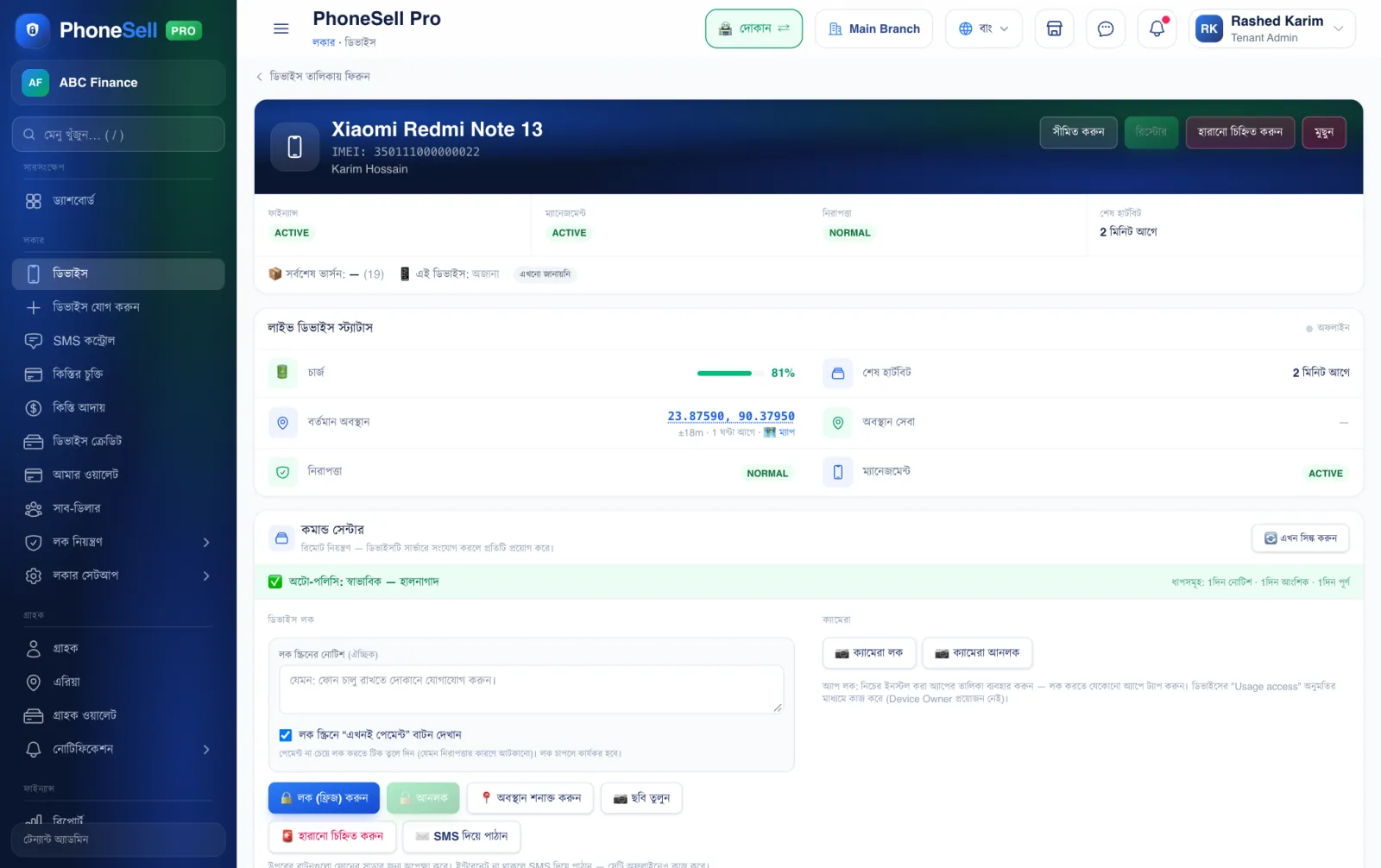
Every phone has its own page. Here you see how the phone is doing right now, and you control everything remotely — lock, unlock, location — from here.
📍 Where to find it: Tap any phone's row in the Locker → Devices list.
📷 Screenshots show the panel in Bangla — switch the panel to English and the same buttons appear in English.
 12345
12345🔍 Tap the picture to enlarge
- 1Phone and customer. Model, IMEI and who has it.
- 2Quick buttons. Restrict (lock), Restore (unlock), mark as lost, and delete.
- 3Live status. When the phone last checked in, and whether it's online now.
- 4Charge. The phone's battery percentage.
- 5Current location. The phone's last location — tap to open it on the map.
💡 Good to know
- Further down the page you'll find the phone's installment contract, Location History and Command History (what was sent and when).