3📱
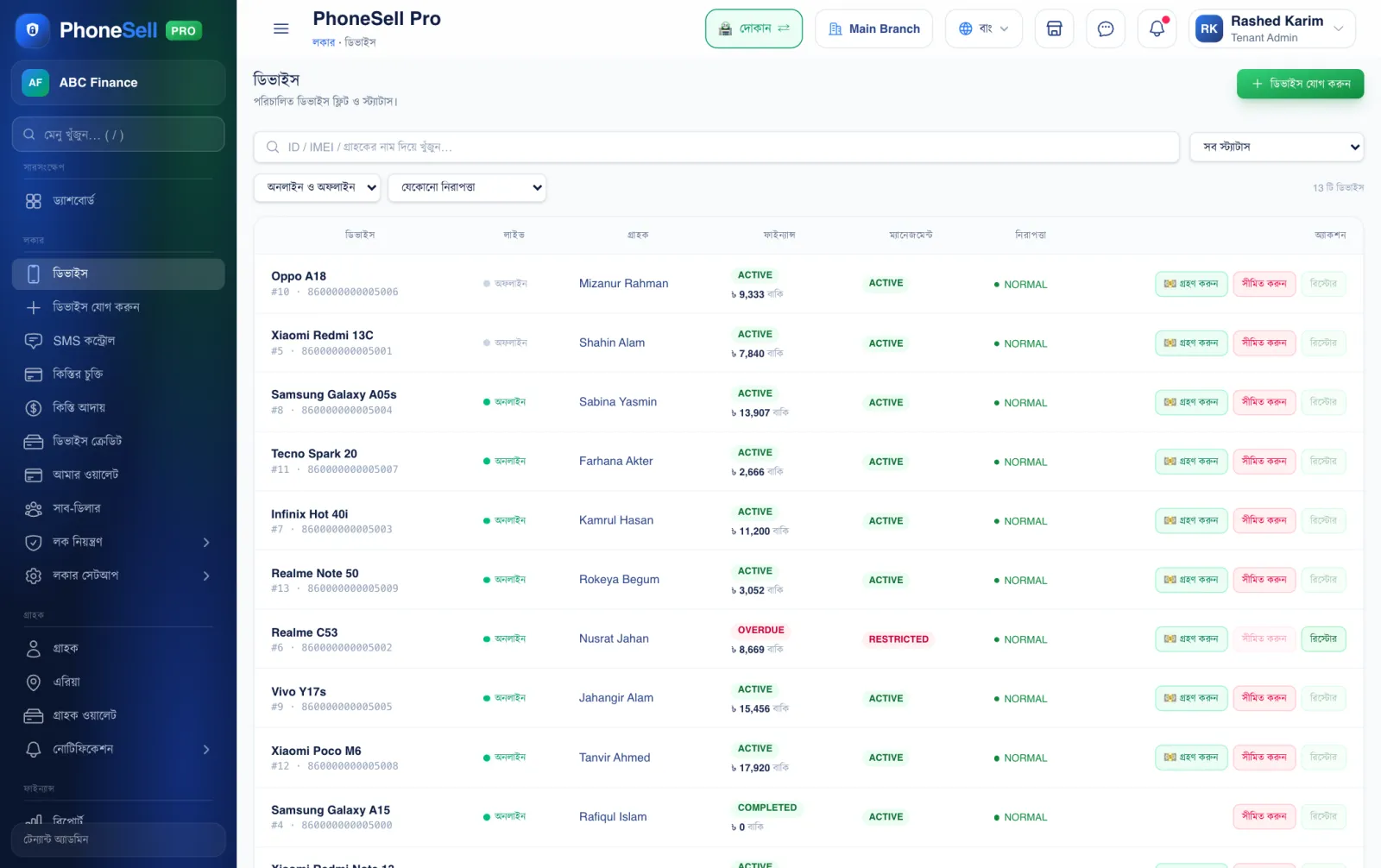
Device list — all phones in one place
Every phone you sold on installments is on this page. Who has it, how much is due, whether it's online right now, whether it's locked — you see it all at a glance.
📍 Where to find it: Left menu: Locker → Devices.
📷 Screenshots show the panel in Bangla — switch the panel to English and the same buttons appear in English.
 12345
12345🔍 Tap the picture to enlarge
- 1Add Device. When you sell a new phone on installments, add it from here (shown step by step in the next chapter).
- 2Search box. Type a customer's name, phone number or IMEI and that phone comes up.
- 3Status filter. Show only locked phones, only phones with money due, and so on.
- 4Phone row. Model, IMEI, customer, amount due and phone status. Tap the row to open the phone's full page.
- 5Restrict (lock). If the customer doesn't pay, lock the phone with one tap. Once you get the money, tap Restore next to it to unlock.
💡 Good to know
- Green “Online” means the phone is connected to the internet right now — a lock or unlock reaches it immediately.
- It's fine to send a lock to a grey “Offline” phone — it will lock as soon as the phone gets internet.
- A red OVERDUE means the installment date has passed.