15📱
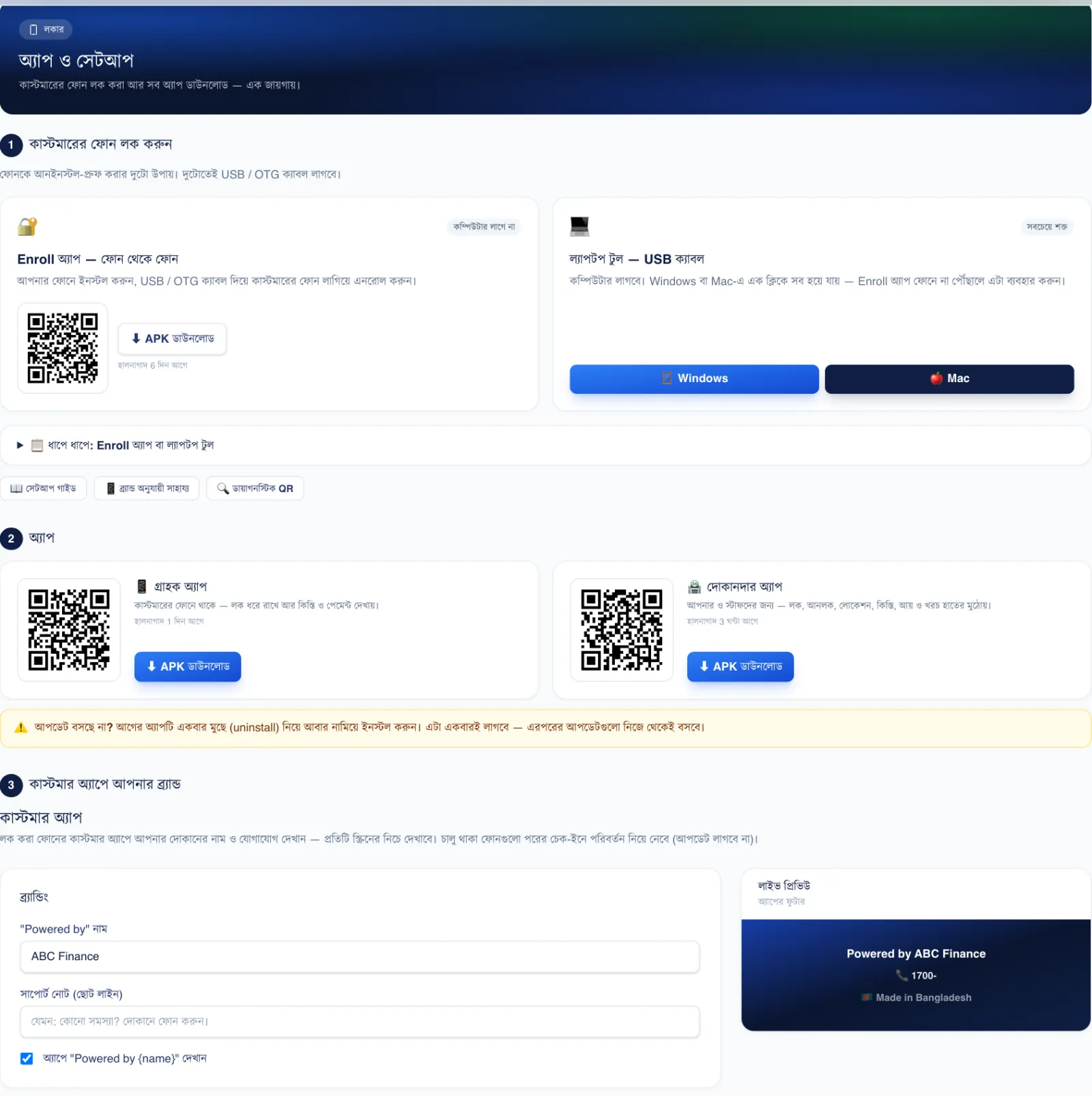
Customer app and your brand
In the app on their phone, the customer sees their installments, the balance and the next due date. If the phone is locked, they can call you or pay the installment online from there.
Fill in this section to show your shop's name and phone number at the bottom of the app.
📍 Where to find it: Left menu: Locker Setup → App & Setup — at the bottom of the page, “Brand the customer app”.
📷 Screenshots show the panel in Bangla — switch the panel to English and the same buttons appear in English.
 123
123🔍 Tap the picture to enlarge
- 1Shop name. This name shows in “Powered by …” at the bottom of the app.
- 2Contact. Phone and WhatsApp numbers — the customer can call you from the app with one tap.
- 3Live preview. See how it will look on the customer's phone as you type.